
Last Updated on August 25, 2026 by Sarah Wilson
Whenever I visit a new city, I love just wandering aimlessly around at leisure. Walking is one of the best ways to discover hidden corners, local cafés, and places I’d never find otherwise.
But as much as I enjoy that freedom, there’s always a tiny part of me (well, quite a large part, really) that worries I might miss something if I’m not a bit more organised. On top of that, it can be a bit much trying to keep track of directions, screenshots, or multiple tabs open on my phone. That’s where GPSmyCity makes life easier.
GPSmyCity turns travel articles into walking tours that work offline. You simply download the guide you want, open the built-in map, and your phone’s GPS shows exactly where you are and how to get to the next stop. No internet needed, no complicated planning, and no stress.
I’m now collaborating with GPSmyCity, and several of my blog posts have been turned into self-guided walking tours within their app. It’s a great partnership because the app takes my articles and transforms them into easy-to-follow routes you can use offline — perfect for travellers who like to explore independently.

Why GPSmyCity Is So Helpful
Here are some of the reasons I find GPSmyCity such a useful travel tool:
Works completely offline – Perfect for trips abroad where data can be expensive or unreliable.
Great for solo travel – You can explore at your own pace without joining a tour group.
Ready-made routes – Each guide lays out the key sights and a logical walking route.
Everything in one place – The article, the map, and the stops are all in a single app.
Confidence when navigating – Ideal for old towns, winding alleys, or places with tricky layouts.
Encourages slow travel – Stop for photos, take detours, linger at viewpoints — the app keeps your place.
I’ve found that using GPSmyCity lets me relax and enjoy my surroundings, rather than constantly stopping to figure out where I’m going next.
How GPSmyCity Works (In Simple Steps)
If you haven’t used GPSmyCity before, here’s how to get started — it’s very straightforward:
1. Download the GPSmyCity app
Available in the App Store (iPhone/iPad) or Google Play (Android).
Search for “GPSmyCity.”

2. Search for the city you’re visiting
Type the city name — for example, “Prague,” “Istanbul,” or “Granada.”
3. Look for my articles
You’ll see a list of guides available for that city.
Find the guide with the same title as the article on my blog.
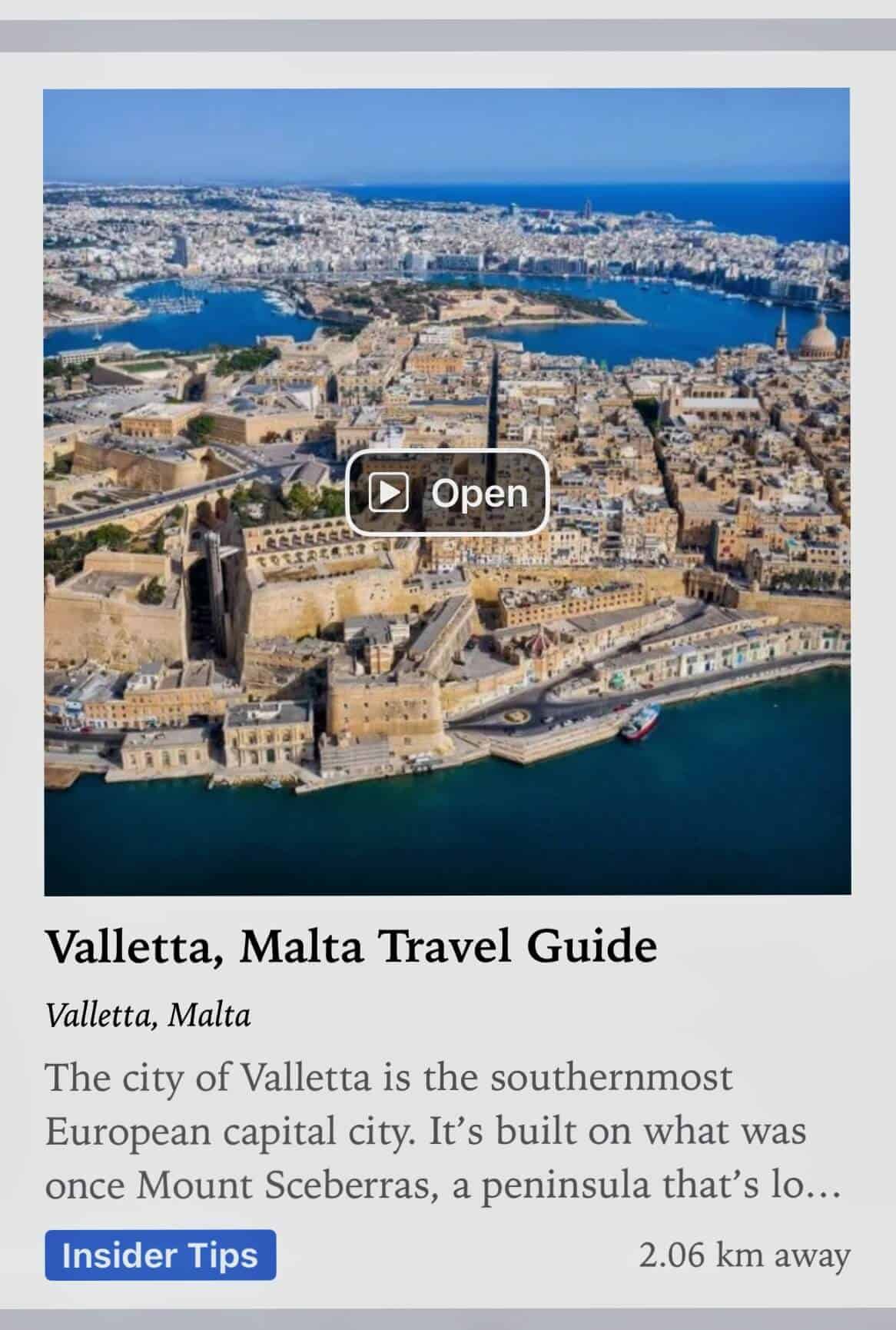
4. Upgrade to the full version
Tap “Upgrade” next to the article.
During the two-week promotion, it will show as FREE.
The full version gives you the offline map, GPS navigation, and a ready-made walking route.
5. Download the guide
Tap “Download” to use it without an internet connection.
6. Start exploring
Open the guide while you’re out in the city.
The map shows your location, the route, and all the sights — making it easy to wander confidently, stop anywhere you like, and pick up the route again.
If you’re planning a trip soon — or simply love exploring new places — this is the perfect time to try GPSmyCity for yourself.
Save This Post For Later
Love, love, love GPSmyCity! We used it recently on our four day trip to Bucharest and it was a great way to navigate!
Well I hope you get to use some of my posts too now 🙂
I had never heard of GPSmyCity before, but it actually sounds so useful! What a good recommendation!
I came across it by chance when I was in Stavanger, it was a great help 🙂
The price seems so reasonable. I have never used this before, I’ll have to check it out.
Don’t forget you can download one of my links for free in the next two weeks to try it out 🙂
This is such a great idea! Such a clever way to explore.
I agree. Especially when I realised I could use it offline 🙂
This is such a great tool for slow, independent travel. We love walking cities too, but juggling maps, notes, and screenshots can get overwhelming fast. The offline feature alone makes GPSmyCity a game changer, especially in old towns with winding streets. Love how your guides are now turned into ready-made walking routes—such a smart and useful collaboration. The free Christmas period is a fantastic bonus for anyone planning upcoming trips or just dreaming about their next city adventure.
I have only just discovered this site for my own travels so I am really excited to be part of it now 🙂